Procreate Flamingo Stamp: A Practical Guide to Template Brushes and Digital Textures
For digital artists working within the Procreate ecosystem on iPad, the availability of specialized brushes often dictates the efficiency and aesthetic quality of a project. Among the various assets available, the Procreate Flamingo Stamp has emerged as a distinct tool for those seeking to incorporate stylized avian elements without the time investment required for manual illustration. This resource is not merely a single brush but typically arrives as a curated set, including two specific drawing template stamps and a bonus paper texture. Understanding how these tools function, where they fit into a broader workflow, and how they compare to alternative methods is essential for making an informed decision about their inclusion in your digital toolkit.
Understanding the Mechanics of Template Stamps
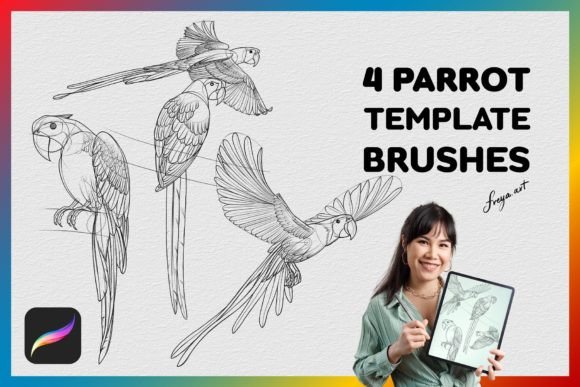
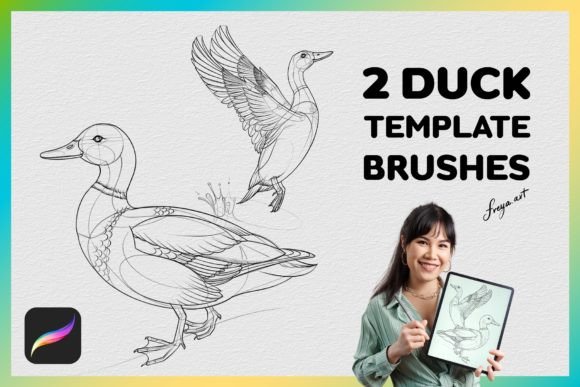
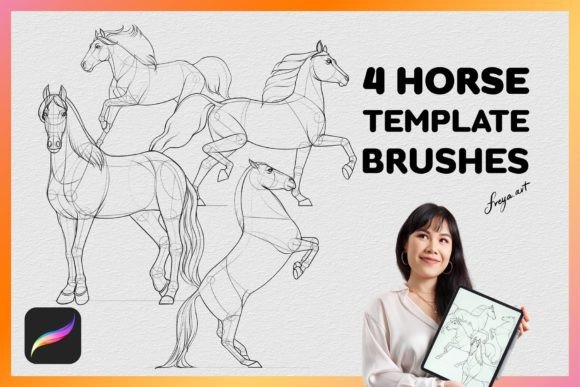
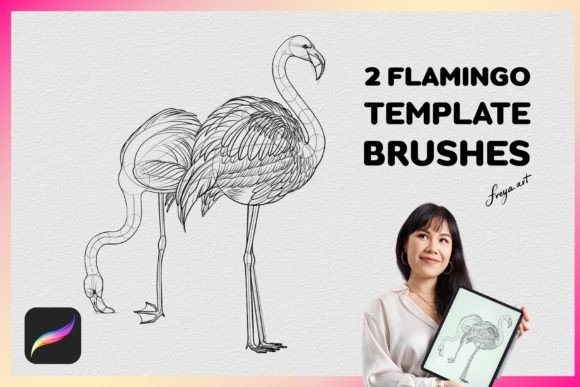
The core functionality of the Procreate Flamingo Stamp lies in its classification as a "stamp" or "template" brush. Unlike standard calligraphy or airbrush tools that build up ink based on stroke path and pressure sensitivity alone, stamp brushes are designed to place a pre-defined image onto the canvas with a single tap. In this specific context, the set provides two variations of flamingo silhouettes or line art. When activated, these brushes allow the user to apply the design instantly, maintaining consistent proportions regardless of the size at which they are applied.
This approach offers a significant advantage in terms of consistency. If an artist needs to create a pattern, a repeating background, or a series of illustrations featuring the same subject, manually drawing each instance can lead to slight variations that may disrupt visual harmony. The Procreate Flamingo Stamp eliminates this variable. However, it is crucial to recognize that these brushes rely heavily on the Apple Pencil's pressure sensitivity settings configured within the Procreate app. While the initial placement is a stamp, many users utilize the pressure settings to control opacity or blend modes, allowing the stamped element to integrate more naturally with underlying layers rather than appearing as a flat, rigid decal.
The Role of the Bonus Paper Texture
A distinguishing feature of this particular asset bundle is the inclusion of a paper texture brush. In digital art, one of the most common criticisms is the "sterile" look of vector-like lines or perfectly smooth fills. The addition of a texture brush allows artists to overlay grain, noise, or fiber patterns over the clean lines of the flamingo stamp. This creates a hybrid effect, combining the precision of a template with the organic feel of traditional media. When used in conjunction with the stamp brushes, the texture helps break up the edges of the digital image, making it appear hand-drawn rather than computer-generated. This combination is particularly effective for greeting cards, journaling, and mixed-media style projects where a tactile quality is desired.
Comparative Analysis: Stamps vs. Manual Drawing
When evaluating whether to use the Procreate Flamingo Stamp or to draw the subject from scratch, several factors come into play. The primary tradeoff is between speed and customization. For artists who require rapid iteration or need to populate a scene with multiple instances of the same object, the stamp is superior. It reduces the time spent on repetitive tasks, allowing the creator to focus on composition, color theory, and overall design.
Conversely, manual drawing offers unlimited flexibility. An artist drawing a flamingo by hand can alter the anatomy, pose, or style of the bird for every single instance. If a project demands unique poses—such as a flamingo stretching, wading, or interacting with other elements—the static nature of a stamp becomes a limitation. The Procreate Flamingo Stamp is best suited for scenarios where the subject remains consistent, such as creating a seamless pattern for fabric design or adding decorative accents to a layout.
Another comparison point involves skill level. Artists who are still developing their anatomical understanding of birds may find the template brushes invaluable. They provide a structural reference that can be traced, modified, or used as a base layer. However, relying too heavily on stamps can sometimes hinder the development of fundamental drawing skills. Therefore, the ideal workflow often involves using the stamp as a starting point or a reference guide, then refining the shape manually to inject personality and movement into the piece.
Evaluating Software Compatibility and Workflow Integration
A critical consideration for any potential user is the software environment. The Procreate Flamingo Stamp and its accompanying textures are engineered specifically for the Procreate application on iPad. They utilize proprietary engine features that do not translate to desktop-based software like Adobe Photoshop, Clip Studio Paint, or Krita. Attempting to import these files into other programs will likely result in errors or a failure to load the brush dynamics correctly.
This exclusivity means that if you are part of a team that works across different platforms, or if you primarily work on a desktop computer, this specific asset set will not be compatible with your workflow. It is a tool designed for the mobile-first, touch-centric creative process. Within the Procreate ecosystem, however, the integration is seamless. The brushes support all standard Procreate features, including layer blending modes, alpha lock, and liquify tools. This allows for extensive post-stamping manipulation. For example, an artist can stamp the flamingo, lower the opacity, and then paint over it to change the color palette entirely, effectively treating the stamp as a sophisticated stencil.
Pressure Sensitivity and the Apple Pencil
The performance of these brushes is intrinsically linked to the input device. They are optimized for the Apple Pencil, utilizing pressure data to vary the density or flow of the stamp. Without a pressure-sensitive stylus, the output may appear uniform and less dynamic. Users should ensure their hardware setup includes a compatible stylus to fully leverage the capabilities of the Procreate Flamingo Stamp. The pressure curve can often be adjusted in the brush settings, allowing users to customize how hard they must press to achieve full opacity, which adds another layer of control to the final artwork.
Determining the Best Use Cases
Deciding when to employ the Procreate Flamingo Stamp depends largely on the project goals. It is an excellent choice for:
- Pattern Design: Creating repeating motifs for textiles, wrapping paper, or wallpapers where consistency is key.
- Quick Mockups: Visualizing ideas rapidly during the brainstorming phase without committing to detailed rendering.
- Decorative Elements: Adding small, stylistic flourishes to larger compositions, such as framing elements or background details.
- Beginner Practice: Using the templates as tracing guides to understand the form and structure of the subject.
However, there are situations where this tool may not be the right fit. If the project requires high-fidelity realism, complex lighting interactions, or unique anatomical variations, a custom illustration approach is necessary. Similarly, if the final deliverable must be editable vector graphics, raster-based stamp brushes will not suffice. The Procreate Flamingo Stamp produces pixel-based images, which, while high resolution, cannot be scaled infinitely without loss of quality compared to vector paths.
Weighing the Tradeoffs: Efficiency vs. Originality
The decision to purchase or download the Procreate Flamingo Stamp ultimately comes down to balancing efficiency against originality. The asset provides a shortcut that can significantly accelerate production times, especially for commercial projects with tight deadlines. The inclusion of the paper texture adds value by addressing the common issue of digital flatness, offering a quick way to add depth and character.
Yet, artists must remain aware that using widely available templates can lead to a homogenized look if overused. To maintain a unique artistic voice, it is advisable to modify the stamped images significantly. This might involve distorting the shape, changing the color scheme drastically, or combining the stamp with other hand-painted elements. By treating the Procreate Flamingo Stamp as a raw material rather than a finished product, creators can enjoy the benefits of speed while retaining the integrity of their personal style.
In conclusion, the Procreate Flamingo Stamp set represents a practical solution for specific digital art challenges. It excels in scenarios requiring repetition, speed, and textural variety within the Procreate environment. While it is not a replacement for manual drawing skills or a universal tool for all software platforms, it serves as a powerful supplement for artists looking to expand their repertoire and streamline their workflow. By understanding its strengths, limitations, and optimal applications, users can make a well-informed choice about whether this resource aligns with their creative objectives.