Evaluating the Procreate Lion Stamp for Digital Art
Digital illustration workflows often require a balance between organic hand-drawn aesthetics and the efficiency of digital tools. For artists working within the Procreate app for iPad, specialized brushes can significantly alter the creative process. One such tool gaining attention is the Procreate Lion Stamp, specifically a set comprising three lion drawing template stamps and a bonus paper texture. Understanding what this resource offers, how it functions, and when it fits into a broader artistic strategy is essential for making an informed decision about its utility in your toolkit.
Understanding the Procreate Lion Stamp Toolset
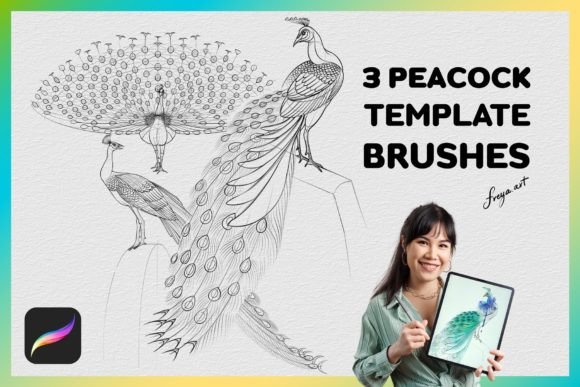
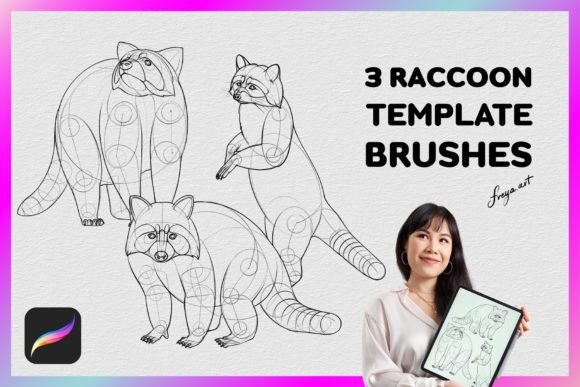
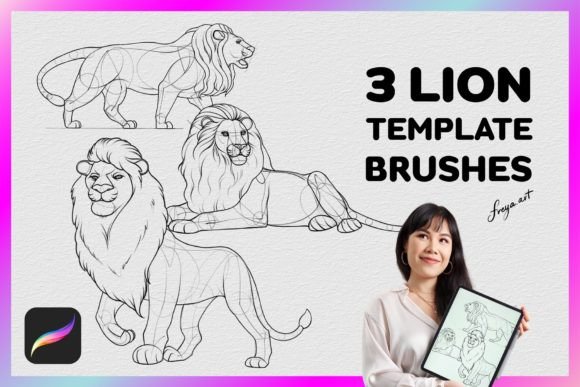
The Procreate Lion Stamp is not a traditional brush that relies on continuous stroke input to create form. Instead, it functions as a stamp or template mechanism. This specific set includes three distinct lion drawing templates designed to be applied instantly onto a canvas. Additionally, the package features a bonus paper texture brush, intended to add surface realism to the artwork.
These tools are engineered exclusively for the Procreate environment on iPad. They do not function in other software ecosystems like Adobe Photoshop or Clip Studio Paint. The mechanics of these brushes rely heavily on pressure sensitivity; they work best when paired with an Apple Pencil. The pressure data dictates the opacity and application of the stamp, allowing for subtle variations rather than a rigid, flat paste. This distinction is crucial for users expecting dynamic interaction between their stylus and the digital medium.
Reasons to Consider Template Brushes
Artists might seek out resources like the Procreate Lion Stamp for several practical reasons. The primary driver is often time efficiency. Creating a complex animal subject from scratch requires a solid understanding of anatomy, proportion, and fur texture. For illustrators working under tight deadlines, or those who need to produce multiple variations of a character quickly, a template provides a reliable structural foundation.
Furthermore, these brushes serve as excellent learning aids. Beginners or students studying animal anatomy can use the lion templates as a reference point. By analyzing the proportions provided in the stamp, artists can reverse-engineer the construction of the subject, using the template as a guide before attempting freehand drawing. The inclusion of a paper texture also addresses the common desire to bridge the gap between digital crispness and traditional media warmth, adding a layer of tactile depth without manual texturing.
Benefits and Tradeoffs
Adopting the Procreate Lion Stamp offers clear advantages, but it also introduces specific tradeoffs that must be weighed against artistic goals.
Key Benefits:
- Speed and Consistency: The ability to place a pre-defined shape instantly ensures consistency across multiple pieces, which is vital for branding or series work.
- Anatomical Accuracy: Templates eliminate the risk of structural errors in complex subjects like lions, ensuring the final image adheres to realistic proportions.
- Texture Integration: The included paper texture simplifies the process of creating a mixed-media look, saving hours of manual brushwork.
Potential Tradeoffs:
- Limited Customization: While the stamp provides a base, significant deviation from the original shape may require heavy editing, masking, or erasing, which can sometimes defeat the purpose of using a quick tool.
- Risk of Repetition: Over-reliance on stamp brushes can lead to a "stock" aesthetic where artworks feel generic or lack the unique imperfections of hand-drawn lines.
- Software Dependency: As noted, these files are locked to the Procreate ecosystem. If an artist plans to migrate their workflow to desktop-based software later, these assets will not be transferable.
Situations Where the Tool Is a Strong Fit
The Procreate Lion Stamp is particularly effective in specific scenarios. It is an ideal choice for concept artists who need to rapidly prototype character designs. When brainstorming, spending twenty minutes sketching a perfect lion silhouette is less efficient than placing a stamp and immediately experimenting with color palettes, lighting, and background elements.
It is also well-suited for print-on-demand designers creating merchandise. In contexts where a recognizable, clean icon of a lion is required for t-shirts, mugs, or posters, the precision of a template ensures the final product looks professional without the variability of freehand sketching. Additionally, artists focusing on mixed-media styles who want to simulate traditional paper grain without scanning physical materials will find the bonus texture highly functional.
When Alternatives May Be Worth Considering
Despite its utility, there are situations where relying on a stamp set may hinder progress. If the primary goal is to master anatomical drawing, using a template as a crutch can slow down skill acquisition. In educational settings or personal practice sessions, freehand sketching remains superior for developing muscle memory and spatial awareness.
Furthermore, if a project demands a highly stylized or abstract interpretation of a lion, a realistic template might constrain creativity. Artists aiming for a unique, signature style often benefit more from building custom brushes or drawing shapes from scratch to ensure their work stands apart from others who might use similar asset packs. Finally, for teams requiring cross-platform compatibility, investing in Procreate-specific brushes is inefficient; vector-based solutions or standard PSD brushes would offer better flexibility.
Practical Decision-Making Insights
Before integrating the Procreate Lion Stamp into your workflow, consider the following factors to determine alignment with your needs.
Assess Your Workflow Goals: Ask yourself if you need speed or skill development. If the priority is rapid production of high-quality assets, the stamp is a valuable asset. If the priority is learning, treat it strictly as a reference tool rather than a replacement for drawing.
Verify Hardware Compatibility: Ensure you have access to an iPad with an Apple Pencil. The pressure sensitivity mentioned in the product details is critical; using these brushes with a finger or a non-pressure-sensitive stylus will result in a subpar experience, as the dynamic range of the stamp will be lost.
Evaluate Long-Term Utility: Consider how often you will draw lions or similar subjects. If this is a one-off project, the cost and effort of downloading and importing the set might outweigh the benefits. However, for illustrators who frequently work with wildlife or mascot characters, the library becomes a permanent part of their asset management system.
In conclusion, the Procreate Lion Stamp set, including its three templates and paper texture, serves as a functional aid for digital artists seeking efficiency and structural accuracy within the Procreate app. It excels in commercial applications, prototyping, and mixed-media simulations. However, it should be used with intention, balancing the convenience of templates with the necessity of maintaining individual artistic voice and technical proficiency. By understanding its limitations and specific use cases, artists can leverage this tool to enhance their productivity without compromising the integrity of their creative vision.