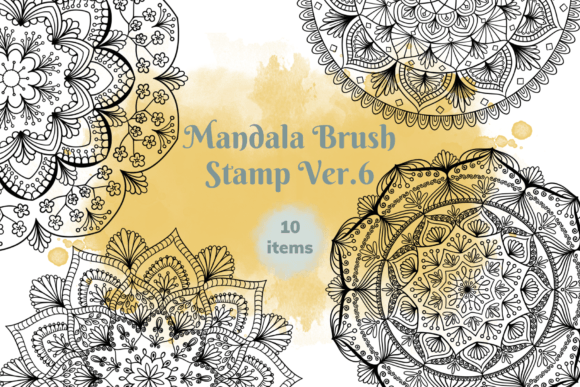
Unlock Creativity with Mandala Brush Stamp Ver. 6
Digital art often demands patience, especially when intricate patterns are required. For artists who want to add complex geometric beauty without spending hours drawing every line, the Mandala Brush Stamp Ver. 6 offers a streamlined solution. This tool is not just a collection of images; it is a set of ten specialized brush stamps designed exclusively for the Procreate app on iPad. By turning detailed mandala designs into single-tap actions, this resource bridges the gap between time-consuming hand-drawing and polished, professional results.
What Is Inside the Mandala Brush Stamp Set?
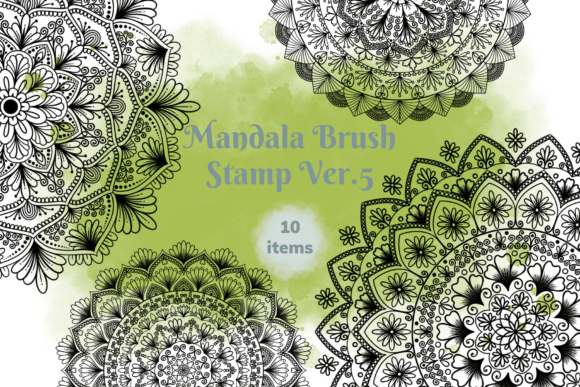
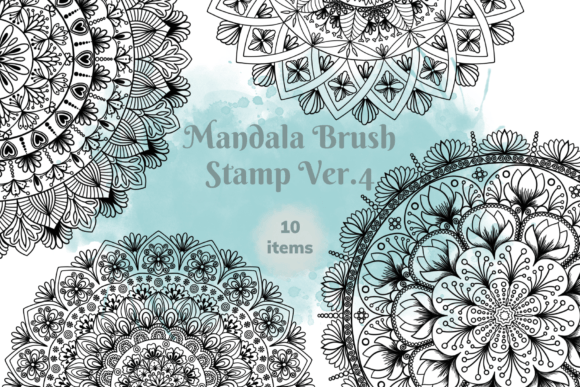
At its core, the Mandala Brush Stamp Ver. 6 is a digital asset pack containing ten unique mandala shapes. Unlike traditional brushes that require you to drag your stylus across the screen to create texture or lines, these function as "stamps." You simply select the brush from your library, tap once on your canvas, and a complete, high-quality mandala appears instantly. This mechanism transforms the creative process, allowing you to focus on composition and color rather than the tedious execution of repetitive geometric patterns.
The package includes two distinct files to enhance your workflow:
- One Brush Set File: This contains the ten mandala stamp brushes ready for import into Procreate.
- One Swatches File: A bonus addition featuring thirty vibrant color swatches to help you match your new designs with ease.
These elements work together to provide a comprehensive toolkit. The brushes allow for structural variety, while the included swatches ensure you have a curated palette to bring those structures to life immediately.
How It Simplifies Your Digital Workflow
The primary value of the Mandala Brush Stamp Ver. 6 lies in its efficiency. In the world of digital illustration, speed does not have to come at the cost of quality. These stamps are pre-rendered with precision, ensuring that every symmetry and curve is perfect every time you use them. Whether you are a beginner struggling with perspective or a professional needing to meet tight deadlines, this tool removes the friction of manual drafting.
Using the set is incredibly intuitive. Once imported, you can adjust the size of the stamp using the Apple Pencil's pressure sensitivity or the slider in the brush settings. You can also modify the opacity to create subtle background textures or layer multiple stamps to build complex, overlapping designs. The ability to change the color dynamically means you are not stuck with a single hue; you can adapt each stamp to fit the mood of your specific project.
Ideal Use Cases for Creators and Entrepreneurs
The versatility of these ten stamps makes them suitable for a wide range of applications, from personal hobbies to commercial products. Here is how different users can integrate this tool into their daily work:
Digital Planners and Bullet Journals
For enthusiasts of digital organization, adding visual flair to spreads is essential. The Mandala Brush Stamp Ver. 6 allows you to decorate headers, frame important dates, or create decorative dividers in your bullet journal layouts. Instead of searching for clipart, you can create custom accents that perfectly match the theme of your weekly plan.
Product Design: Mugs, Shirts, and Stickers
Small business owners and Etsy sellers often look for ways to diversify their product lines quickly. These mandala shapes serve as excellent base elements for merchandise. You can arrange the stamps to create a repeating pattern for a t-shirt design, center a large mandala on a mug mockup, or combine smaller versions to craft a sheet of digital stickers. Because the designs are clean and scalable, they translate well to print-on-demand services.
Graphic Design and Social Media Content
Bloggers and social media managers need engaging visuals to capture attention. Using these stamps, you can create eye-catching backgrounds for Instagram posts, YouTube thumbnails, or blog headers. The geometric nature of mandalas naturally draws the eye, making them effective focal points for promotional graphics.
Important Technical Considerations
Before downloading and importing the Mandala Brush Stamp Ver. 6, it is crucial to understand the technical requirements to ensure a smooth experience. This brush set is built specifically for the ecosystem of the Procreate application. It relies on Procreate's unique brush engine to function correctly as a stamp.
Compatibility Requirements:
- App Version: You must be running Procreate version 5.0 or higher on your iPad. Older versions will not support the file format.
- Platform Limitation: Please note that these brushes do not work in Adobe Photoshop, Clip Studio Paint, or any other desktop or mobile art application. They are exclusive to Procreate.
If you are working primarily on a computer with Photoshop, this tool will not be compatible with your current setup. However, if you have an iPad and utilize Procreate, this set integrates seamlessly into your existing workflow.
Why Choose This Specific Version?
There are many brush sets available, but the Mandala Brush Stamp Ver. 6 stands out due to its focused utility. It solves a specific problem: the desire for intricate detail without the labor-intensive process. The inclusion of the bonus swatch file adds extra value, providing a cohesive color story that beginners might struggle to curate on their own.
Furthermore, the simplicity of the "select, resize, and stamp" workflow democratizes complex design. It empowers users who may feel intimidated by freehand drawing to still produce stunning, professional-looking artwork. Whether you are creating a simple greeting card or a full-scale commercial pattern, these ten stamps offer a reliable foundation for creativity.
Getting Started with Your New Brushes
To begin using the Mandala Brush Stamp Ver. 6, simply import the brush set file into your Procreate app. Navigate to your brush library, locate the new folder, and select one of the ten mandala stamps. Open a new canvas or load your current project, choose your desired color from the palette (or the included swatches), and tap the screen. Watch as your design takes shape instantly. Experiment with layering different sizes and opacities to discover unique combinations that suit your artistic vision.
By integrating these tools into your creative process, you open up new possibilities for decoration and design. Whether you are planning your day, designing a product for sale, or simply enjoying a hobby, the Mandala Brush Stamp Ver. 6 makes the journey easier, quicker, and significantly more fun.